

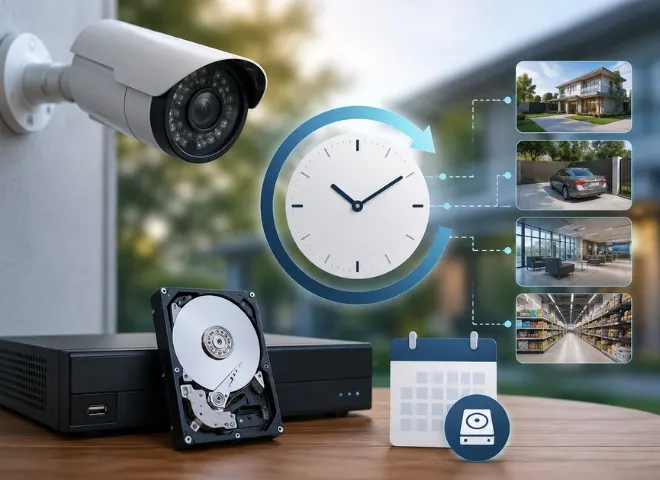
During CCTV camera installation every customer in Los Angeles gets curious to know about the camera results and recording timings. Building owners, security agency house owners and businessmen all want to uncover some of the basic questions like how long it keeps recording even after the space runs out. If you think the same then you are not alone. Every single customer wants to know about these questions. In this special blog we will understand everything, how long do security cameras record? And about the formula to calculate how long your camera will record, and will discuss some of the top things to know about the security camera recording times.
Why Recording Time Matters
Usually, when customers search for security cameras, they concentrate on picture quality, the result of the night vision, or if the device links to their phone, and often neglecting the storage capacity and recording period. But the truth is, a CCTV camera that films remarkably good video is still totally useless if the user doesn’t see all the recorded footage and is deleted. Understanding how to organise your camera storage and how long your security camera keeps safe the records matter the most. so make sure to choose the appropriate motion settings, and then you will never lose an important film again.
How Long Do Security Cameras Record on Average?
Depending on your camera storage capacity and the configuration of the camera, most home security cameras capture anywhere from 24 hours to 30 days of film.which fill all the storage, so let see what are the important factors to understand.
- All the cloud cameras store footage from 7 to 30 days based on your subscription plan.
- Using an SD card or hard disk, it will increase the storage capacity on your CCTV camera
- local storage cameras retain film until the storage fills up, at which point they overwrite the oldest recordings.
- NVR or DVR systems utilized in businesses or bigger residences are capable of storing weeks or even months of video.
- The video quality is another factor. When we compare the consumed space per hour 720p camera consumes less space compared to 1080p camera.
How to Increase the Recording Time
Here are a few useful actions you can extend your recording time without purchasing a large hard drive or cloud subscription plans.
- sensitivity adjustment is an important part to enable motion detection to capture only suspicious activities.
- The reduction in camera resolutions also increases recording time, 4K video footage consumes more space then 1080p or 720.
- Decrease the camera recording resolution See the video compression settings of your camera and select H.265.
- Make a schedule such that the camera only records during times when an activity is happening.
The Easy Formula to Calculate Camera Recording Duration
To calculate camera recording time duration you do not need any technical expert, here is the simple formula to apply.
storage size (in GBs) ÷ per hour storage used = Recording hours
Let suppose your SD card is 128 GB ÷ 1 GB per hour = 128 hours of footage (128÷24=5.3 days)
Now to find out the answer of how much does your camera consume the storage capacity in an hour, it depends on the camera resolution.
A 720p resolution camera uses roughly half to 1 GB per hour. When the CCTV camera resolution is 1080p then it consumes 1 to 2 GB per hour. A 4K camera result is very crystal clear and uses from 3 to 8 GB in a single hour, depending on the compression the camera uses.
So when you install a 1080p camera with the storage of 256 GB and continuously recording around the clock, you will get the footage for approximately 5 to 10 days, then it will start overwriting. With motion-only recording, you could stretch that to several weeks easily.
actually expected, like overnight or when you are not at home.
How Long To Keep Security Camera Footage?
Most residences in Los Angeles would find it quite sufficient to store 7 to 14 days of video. Companies typically store the CCTV recorded date for 30 days to handle postponed, missing or insurance claims. If you are in charge of a business property, always verify the laws in your area as some industries, like banking or healthcare, have legal obligations to store film for 90 days or longer.
Final Thoughts
One of the most useful things you can do to get actual value from your security camera setup is to be aware of how long it records. Reduce the resolution from 4k to 1080p if you need to increase the recording time, activate the motion detection and compression settings using the simple approach, and you will have reliable, valuable film available anytime you really need it. A little planning and its execution guarantee you never get caught without the most important video. So when you are installing your CCTV cameras in Los Angeles, make sure that you know the formula for calculating the CCTV camera recording time.